ubuntu-20.04.4-server 安装与基本配置
问题产生背景
由于众所周知的原因,业务需要从 centos 迁移到其它操作系统了;本人还是觉得非常可惜,这么久以来这个系统一直是大家的首选,其实已经用习惯了
Ubuntu-server 成为了本次迁移的首选,本文基于ubuntu-20.04.4-server从安装到配置进行总结
1、安装
点击上方系统链接进入官网镜像下载界面,下载完成后根据自己实际使用方式选择安装
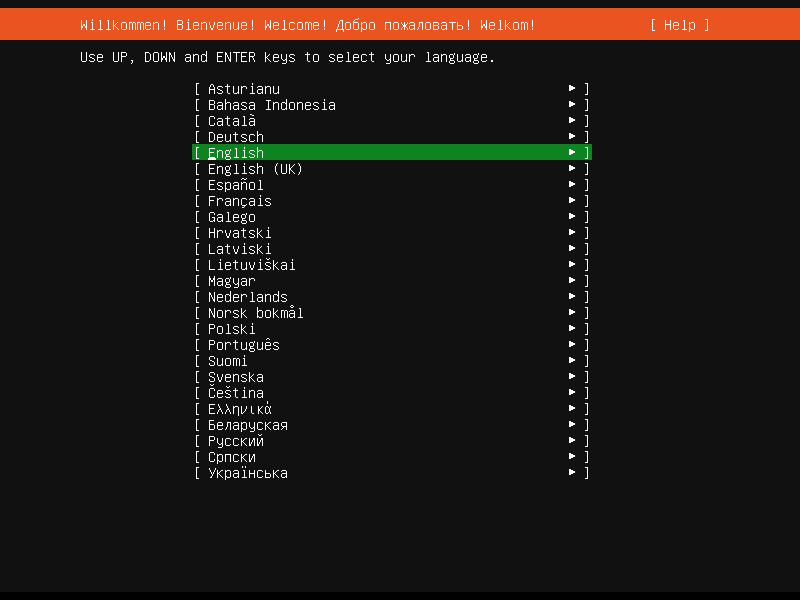
1.选择语言
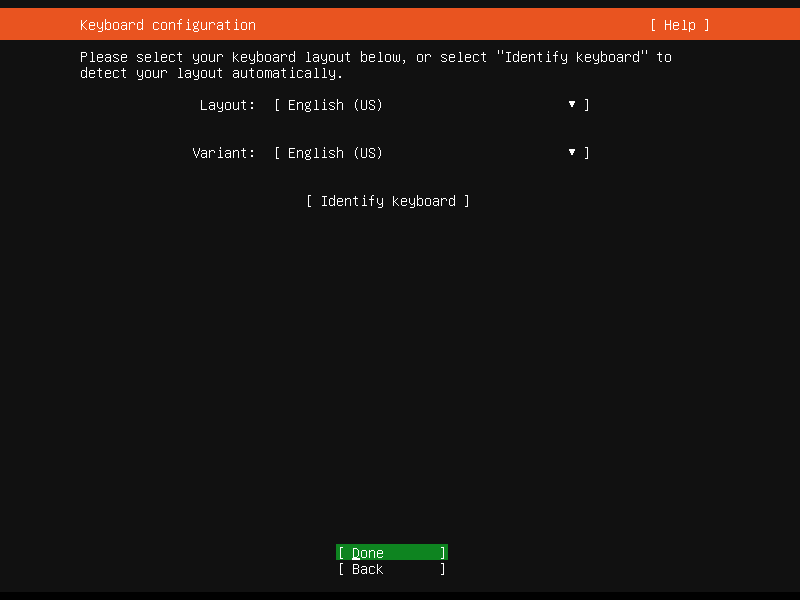
2.设置键盘
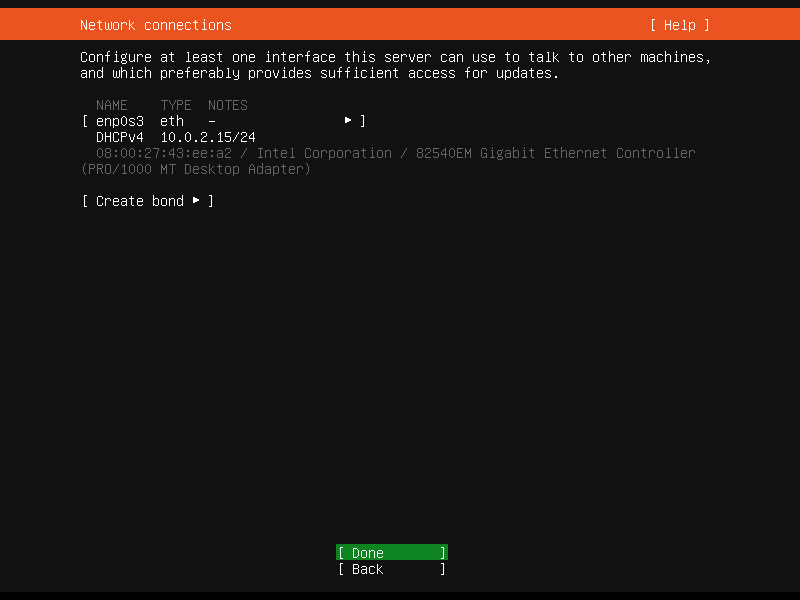
3.配置网络
如果你所处的网络没有 DHCP,需要静态 IP;在此处键入对应值即可
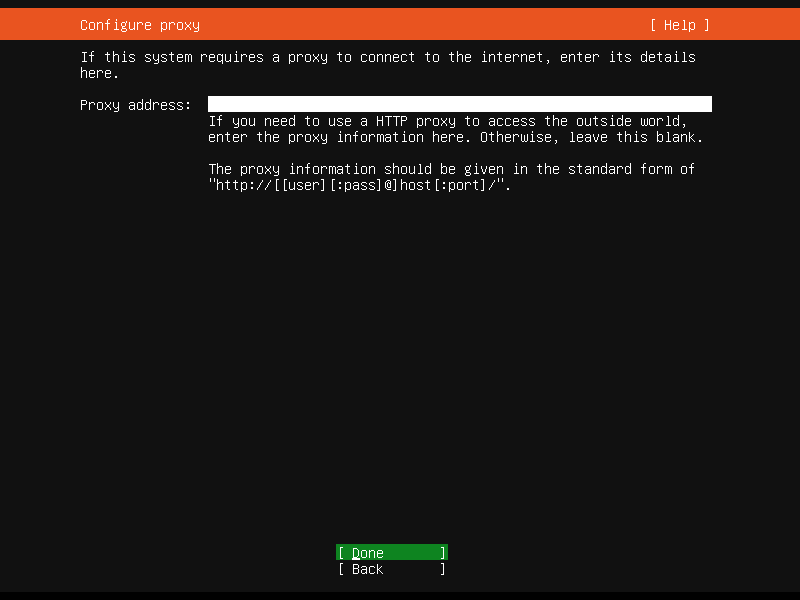
4.配置代理
没有需求可直接跳过
5.设置源地址
这个可以配置阿里云(http://mirrors.aliyun.com/ubuntu/),下载加速
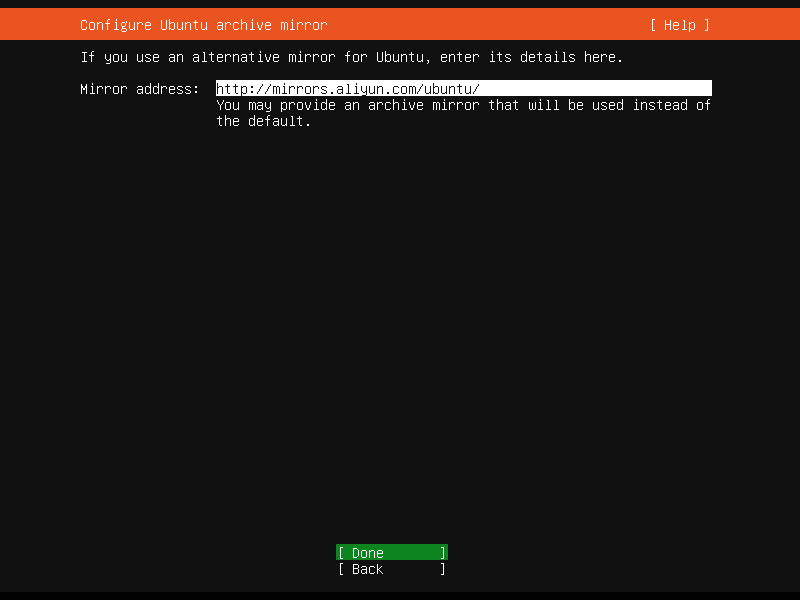
6.配置磁盘分区
一般默认即可,如果有特殊需求自行设置
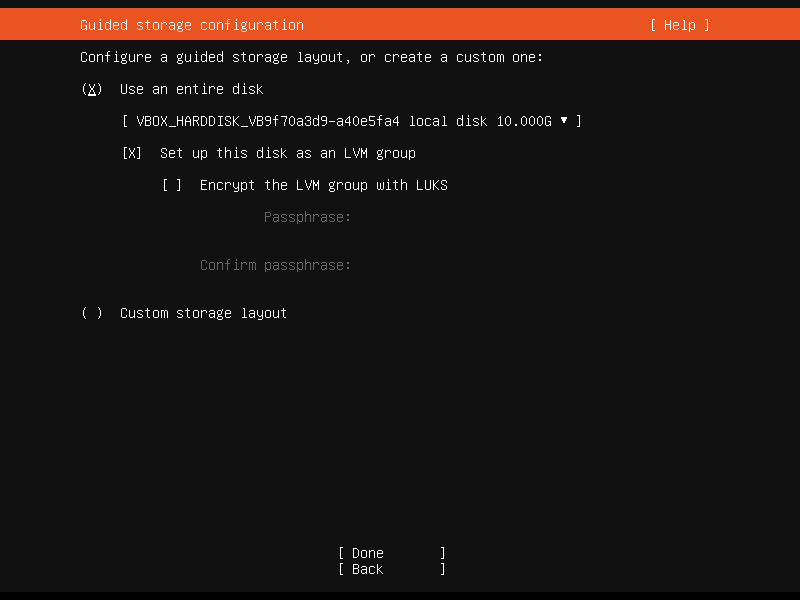
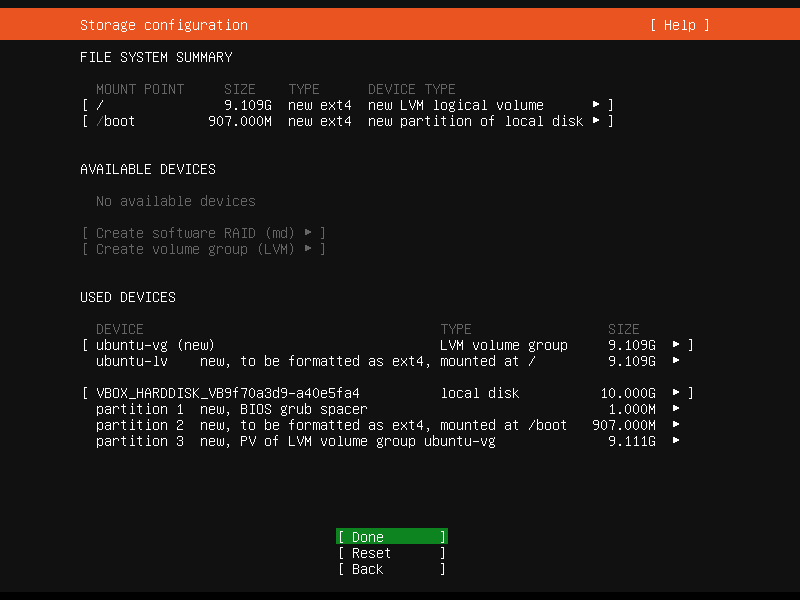
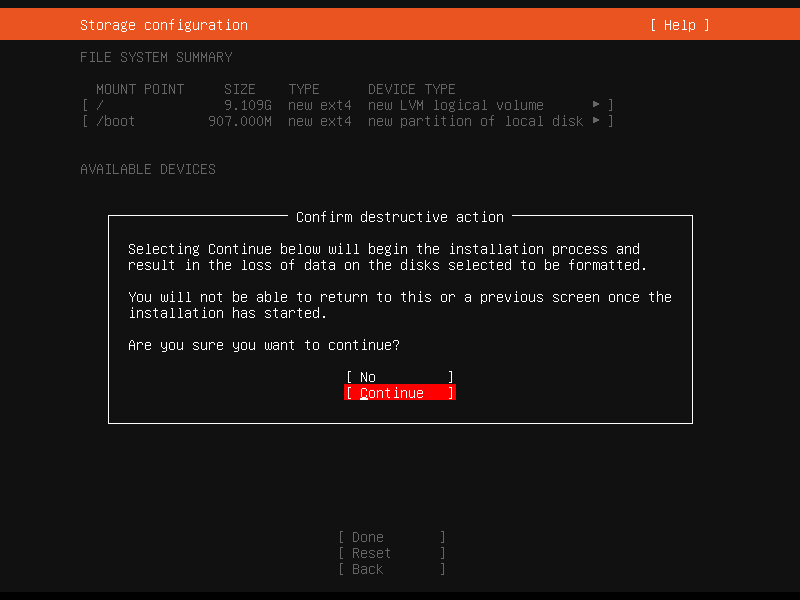
7.配置用户名和密码
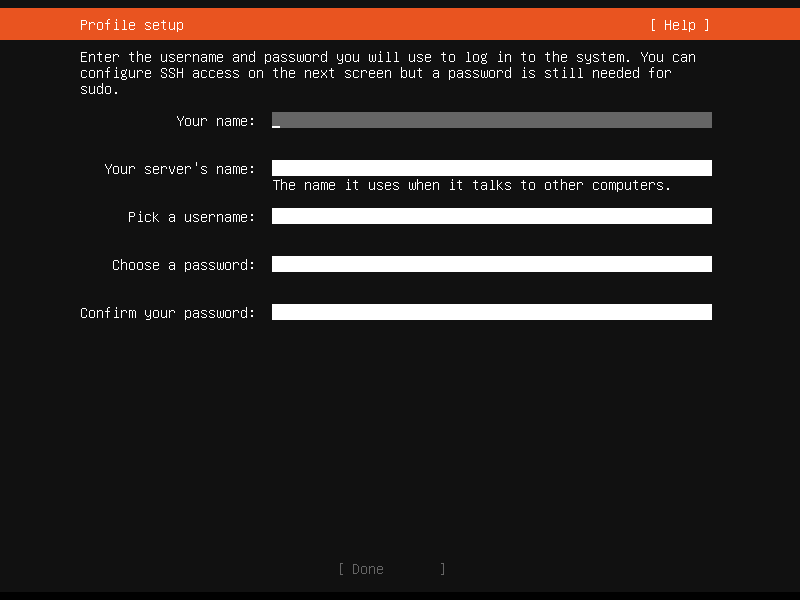
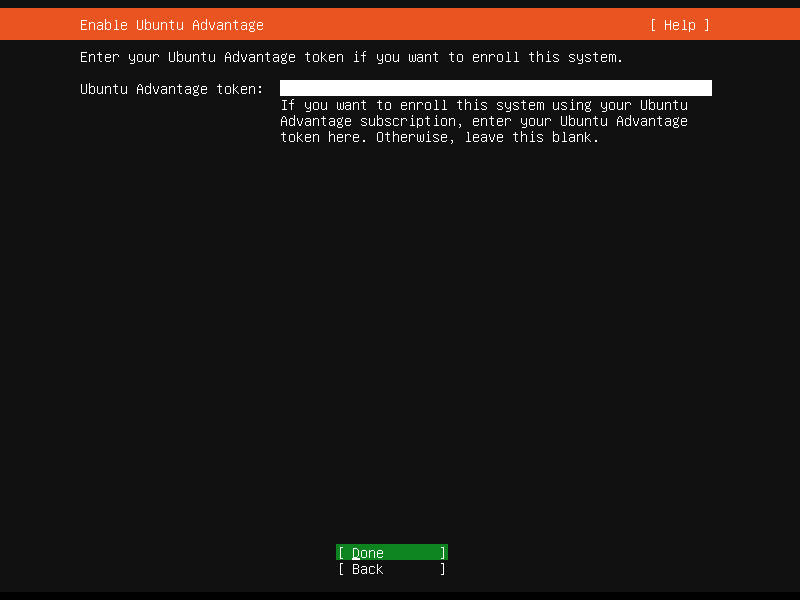
8.输入 Ubuntu Advantage,一般跳过
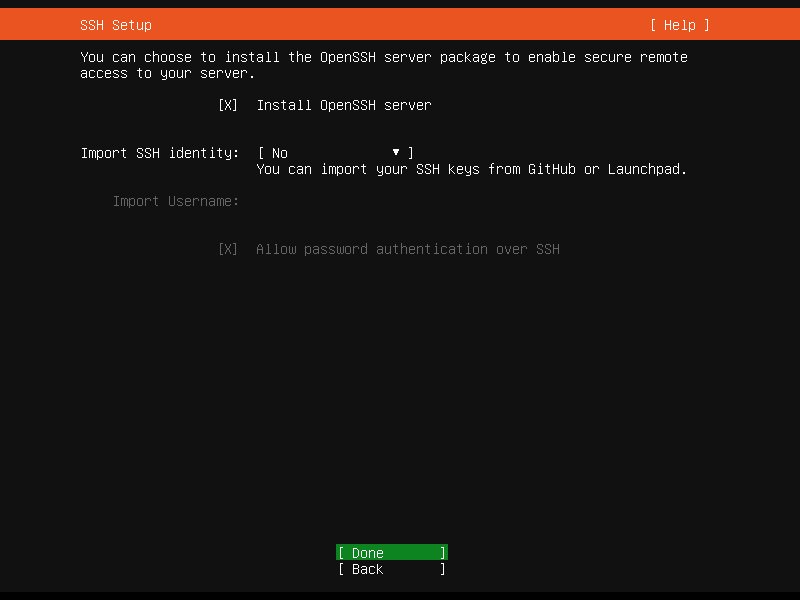
9.安装 OpenSSH
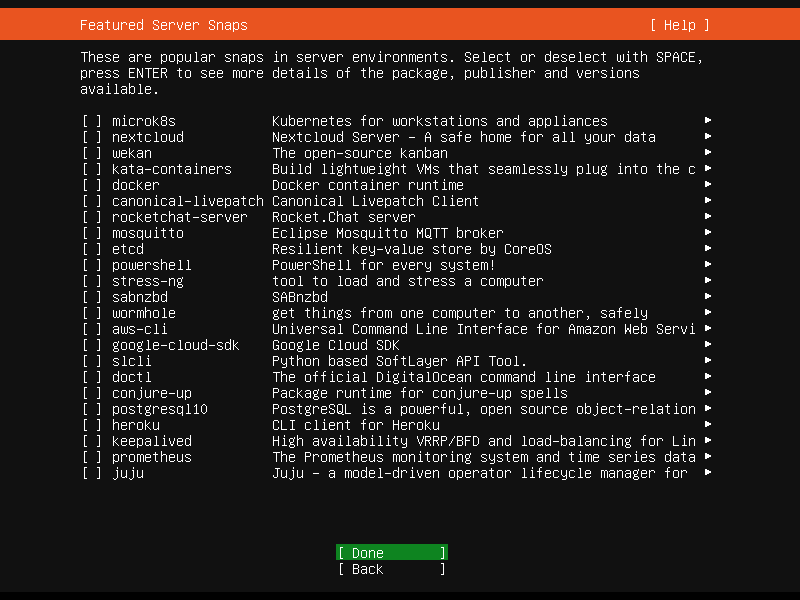
10.选择需要插件
11.等待安装
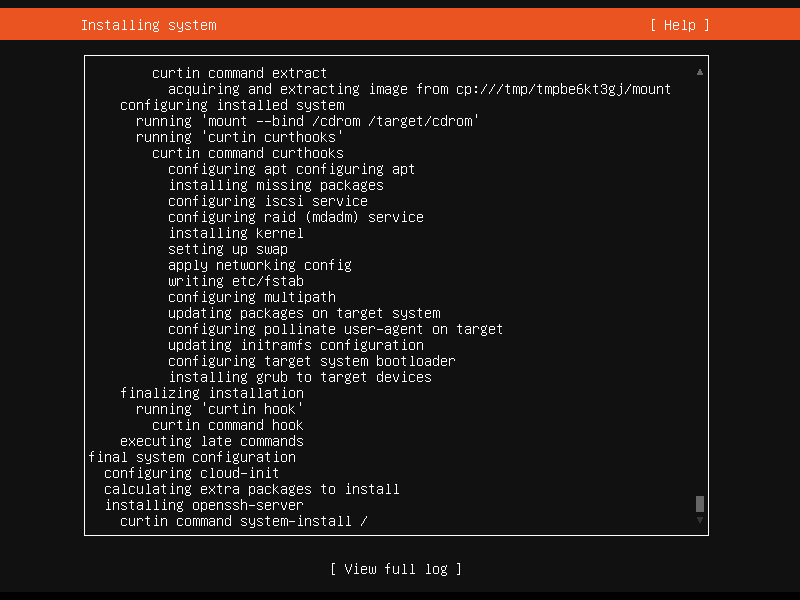
12.出现 Reboot 后选择并重启
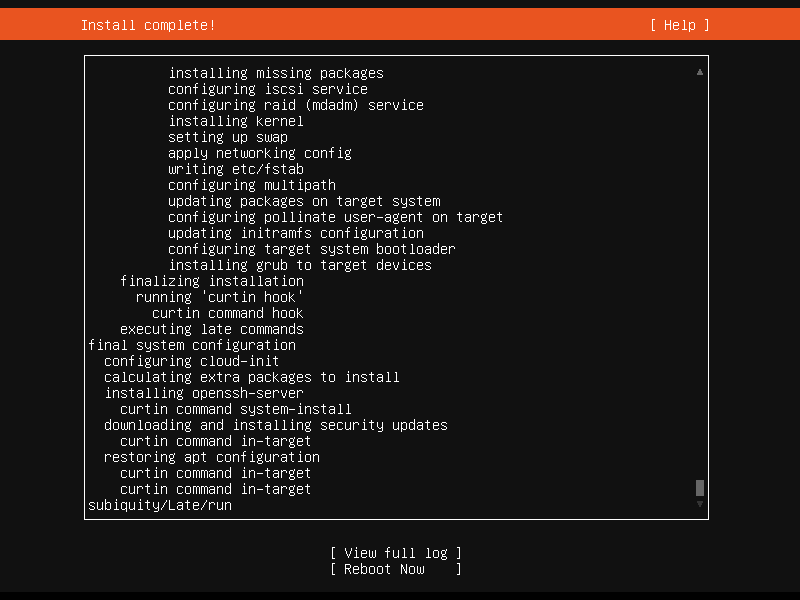
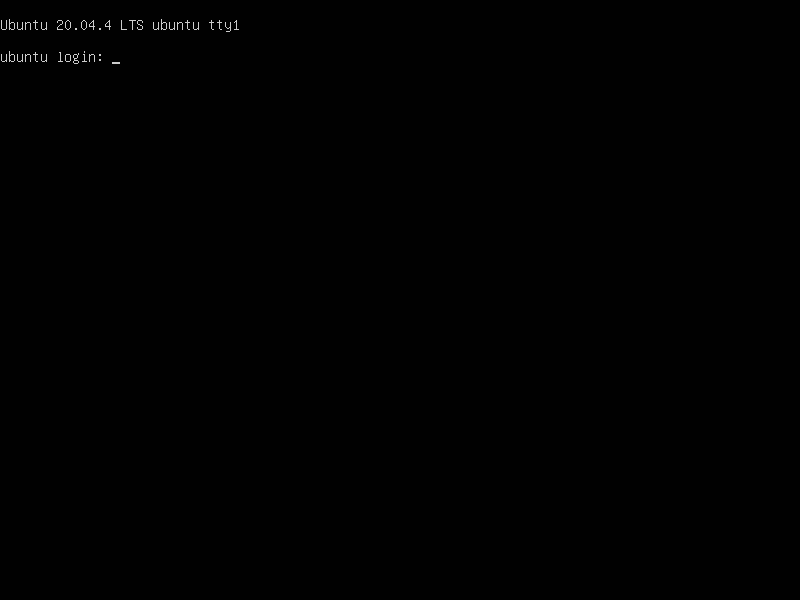
13.重启成功后即可登陆使用
参考配置免密登录
2、系统时区修改
安装完后的系统默认是 UTC 时区,需要修改到国内
通过命令设置:tzselect
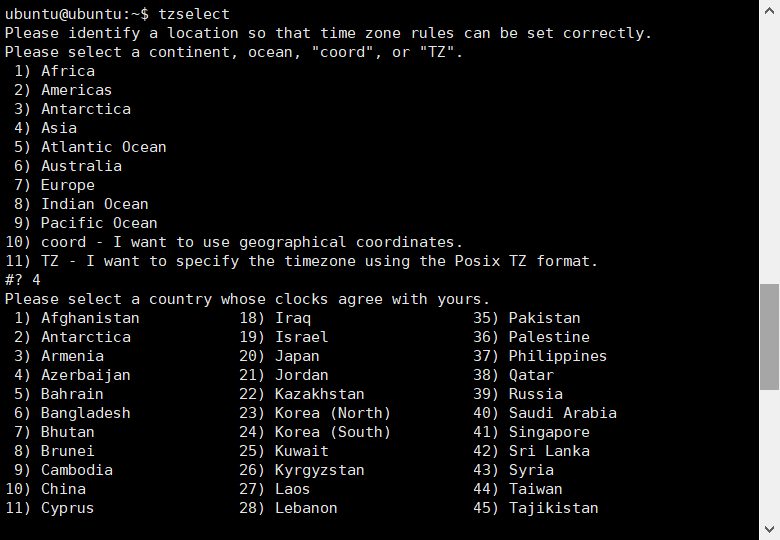
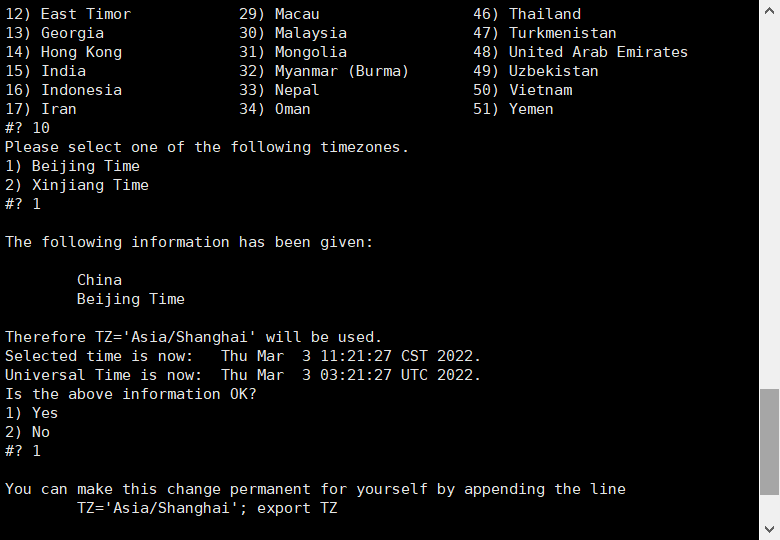

按照图片依次执行完后,发现时区任然没有更改
ubuntu@ubuntu:~$ date -R
Thu, 03 Mar 2022 03:25:35 +0000复制时间文件
ubuntu@ubuntu:~$ sudo cp /usr/share/zoneinfo/Asia/Shanghai /etc/localtime
[sudo] password for ubuntu:
ubuntu@ubuntu:~$ date -R
Thu, 03 Mar 2022 11:27:40 +0800执行完成后时间显示正常
3、修改 DNS
国内目前 DNS 污染严重,修改 DNS 可以有效解决部分网络问题
使用 nslookup 命令查看当前 DNS:
ubuntu@ubuntu:~$ nslookup qq.coom
Server:		127.0.0.53
Address: 127.0.0.53#53目前版本 Ubuntu 默认启用systemd-resolvedDNS 为 127.0.0.53
首先修改 /etc/systemd/resolved.conf 文件,在其中添加 dns 信息,例如:
DNS=8.8.8.8 114.114.114.114
然后退出保存
然后以 root 身份在 ubuntu 终端中依次执行如下命令:
systemctl restart systemd-resolved
systemctl enable systemd-resolved此时新增的 DNS 已经增加到systemd-resolved中可以使用下面命令查看:
$ systemd-resolve --status

Global
       LLMNR setting: no
MulticastDNS setting: no
  DNSOverTLS setting: no
      DNSSEC setting: no
    DNSSEC supported: no
         DNS Servers: 8.8.8.8
114.114.114.114但是nslookup仍然显示 127.0.0.53,使用下面命令可以强制 DNS 更改
mv /etc/resolv.conf  /etc/resolv.conf.bak
ln -s /run/systemd/resolve/resolv.conf /etc/再查看nslookup:
ubuntu@ubuntu:~$ nslookup qq.com
Server:		114.114.114.114
Address: 114.114.114.114#53提示
也可直接在网络配置里更改,配置文件在/etc/netplan打开后添加nameservers即可:
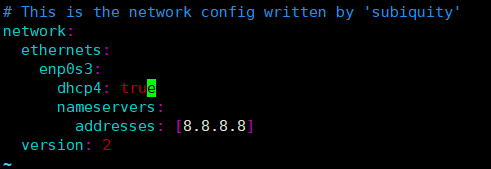
4、删除 snap
虽然 snap 具有众多有点,但是我们是服务器不需要这些功能,而且使用 snap 还会带来额外的困扰,比如使用 top 查看能发现 snapd 常年占据较高的使用率,因此我们决定卸载 snap 服务。
使用如下命令卸载:
sudo apt autoremove --purge snapd
提示执行成功了:
Reading package lists... Done
Building dependency tree
Reading state information... Done
The following packages will be REMOVED:
  snapd* squashfs-tools*
0 upgraded, 0 newly installed, 2 to remove and 1 not upgraded.
After this operation, 147 MB disk space will be freed.
Do you want to continue? [Y/n] y
(Reading database ... 73313 files and directories currently installed.)
Removing snapd (2.54.3+20.04.1ubuntu0.2) ...
Stopping snap.lxd.activate.service
Stopping unit snap.lxd.activate.service
Waiting until unit snap.lxd.activate.service is stopped [attempt 1]
snap.lxd.activate.service is stopped.
Stopping snap.lxd.daemon.service
Stopping unit snap.lxd.daemon.service
Waiting until unit snap.lxd.daemon.service is stopped [attempt 1]
snap.lxd.daemon.service is stopped.
Stopping snap.lxd.daemon.unix.socket
Stopping unit snap.lxd.daemon.unix.socket
Waiting until unit snap.lxd.daemon.unix.socket is stopped [attempt 1]
snap.lxd.daemon.unix.socket is stopped.
Removing squashfs-tools (1:4.4-1ubuntu0.3) ...
Processing triggers for man-db (2.9.1-1) ...
Processing triggers for dbus (1.12.16-2ubuntu2.1) ...
Processing triggers for mime-support (3.64ubuntu1) ...
(Reading database ... 73221 files and directories currently installed.)
Purging configuration files for snapd (2.54.3+20.04.1ubuntu0.2) ...
Stopping snap.lxd.activate.service
Stopping unit snap.lxd.activate.service
Waiting until unit snap.lxd.activate.service is stopped [attempt 1]
snap.lxd.activate.service is stopped.
Removing snap.lxd.activate.service
Stopping snap.lxd.daemon.service
Stopping unit snap.lxd.daemon.service
Waiting until unit snap.lxd.daemon.service is stopped [attempt 1]
snap.lxd.daemon.service is stopped.
Removing snap.lxd.daemon.service
Stopping snap-core20-1328.mount
Stopping unit snap-core20-1328.mount
Waiting until unit snap-core20-1328.mount is stopped [attempt 1]
snap-core20-1328.mount is stopped.
Removing snap core20 and revision 1328
Removing snap-core20-1328.mount
Stopping snap-core20-1361.mount
Stopping unit snap-core20-1361.mount
Waiting until unit snap-core20-1361.mount is stopped [attempt 1]
snap-core20-1361.mount is stopped.
Removing snap core20 and revision 1361
Removing snap-core20-1361.mount
Stopping snap-lxd-21835.mount
Stopping unit snap-lxd-21835.mount
Waiting until unit snap-lxd-21835.mount is stopped [attempt 1]
snap-lxd-21835.mount is stopped.
Removing snap lxd and revision 21835
Stopping unit snap.lxd.daemon.unix.socket
Waiting until unit snap.lxd.daemon.unix.socket is stopped [attempt 1]
snap.lxd.daemon.unix.socket is stopped.
Stopping unit snap.lxd.daemon.unix.socket
Warning: The unit file, source configuration file or drop-ins of snap.lxd.daemon.unix.socket changed on disk. Run 'systemctl daemon-reload' to reload units.
Waiting until unit snap.lxd.daemon.unix.socket is stopped [attempt 1]
snap.lxd.daemon.unix.socket is stopped.
Removing snap-lxd-21835.mount
Stopping snap-snapd-14978.mount
Stopping unit snap-snapd-14978.mount
Waiting until unit snap-snapd-14978.mount is stopped [attempt 1]
snap-snapd-14978.mount is stopped.
Removing snap snapd and revision 14978
Removing snap-snapd-14978.mount
Discarding preserved snap namespaces
Final directory cleanup
Removing extra snap-confine apparmor rules
Removing snapd cache
Removing snapd state